
A BSD sensor can significantly decrease the chances of road collisions, especially for trucks. Recent studies have shown a 14% drop in lane-change collisions using blind spot detection sensors, and the same report shows a 23% decrease in the impact of road crashes. Did you notice the emphasis on “lane-change collisions” in this report? That’s because a major chunk of total truck crashes occur when they are changing lanes.
Studies also show that over 50,000 crashes and 16,000 injuries could be prevented if the vehicles were equipped with a blind spot monitoring system. While you can not change the past, you can make your driving future ten times safer with a UNECD R151 sensor for truck. Let’s take a detailed look at this sensor and why you should use it.
How Does the UNECD R151 Sensor for Truck Work?
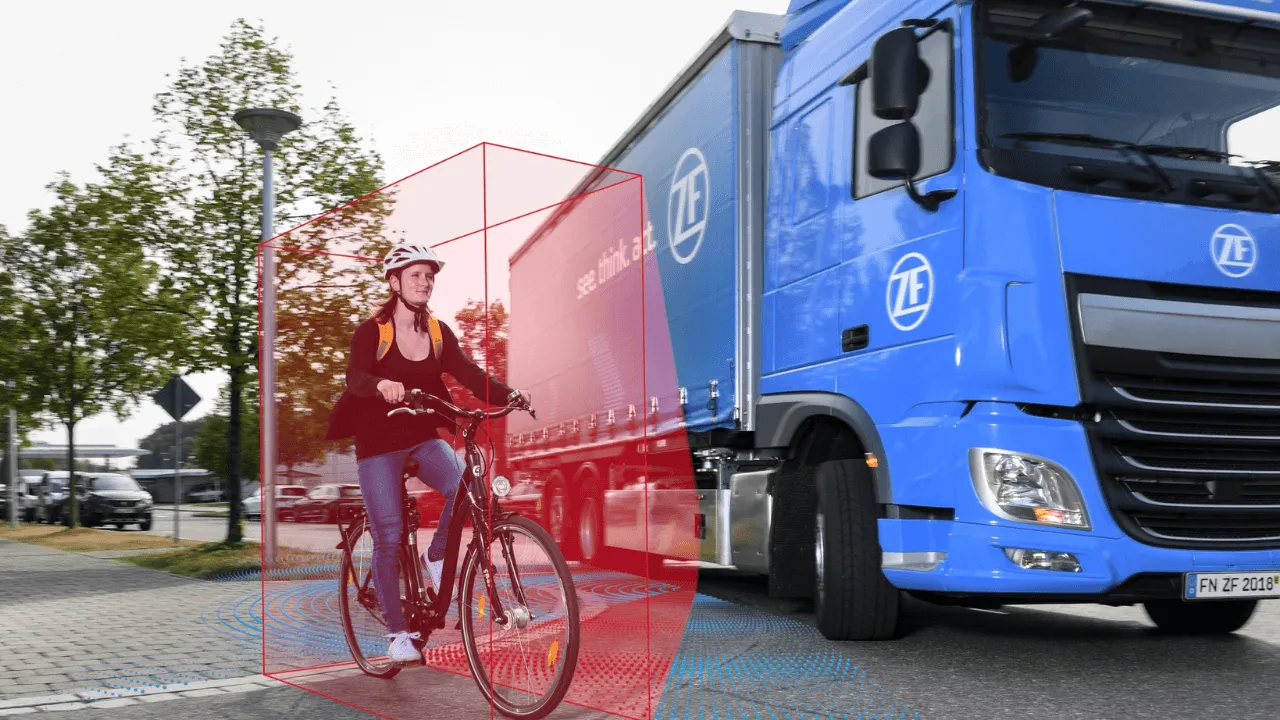
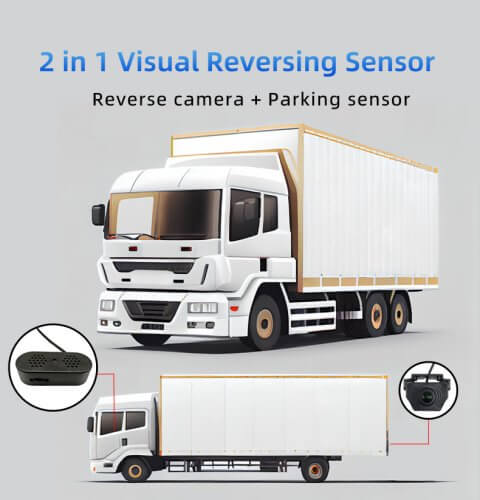
The UNECD R151 system works as a lane-change assistance system for trucks. Two of these sensors can be combined to cover left and right blind spots. So, it can eliminate the driver and passenger-side blind spots.
Here’s how it works step-by-step:
1. Active Monitoring
The UNECE R151 sensor remains active throughout your truck driving journey. It is connected to the vehicle’s primary power source, requiring no manual activation. The system uses two sensors to monitor the truck’s side blind spots and the immediate rear.
Generally, there are two types of sensors in a BSD lane-change assist:
- Radar
- Ultrasonic
While their specifications vary, their framework is similar. They both emit waves to detect nearby objects in the truck’s blind spots.
2. Detection Alerts
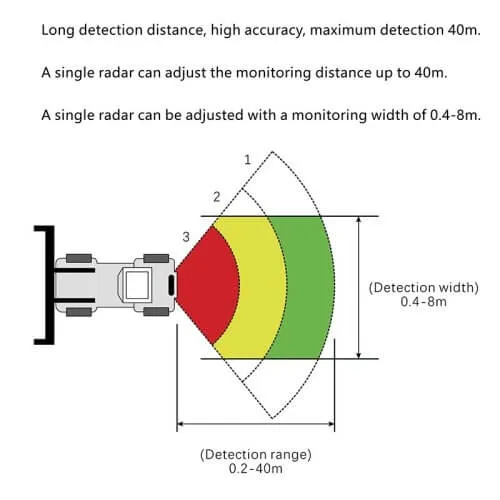
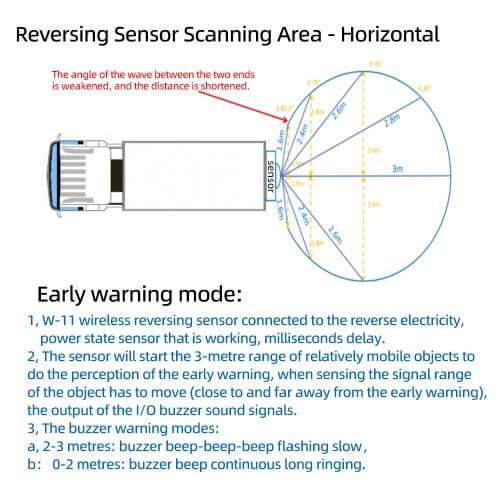
When the sensors emit waves, they travel a limited distance to detect a vehicle. They are reflected back to the BSD system if they hit an object. How does the driver know that? Well, the system triggers an alert mechanism to notify the driver.
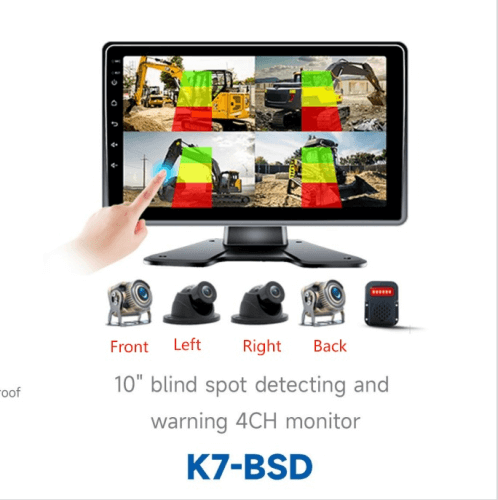
The alert mechanism can vary depending on the model. Some use buzzers for an audible alarm, while others have flashing LED lights for visible cues. Usually, this alert mechanism is customizable, allowing you to choose audible, visual, or both.
3. Driver’s Input
After the alert, it all comes down to the driver’s response. If the BSD sensor produces an alarm, double-check your surroundings using your side-view or rear-view mirrors. Notice an oncoming vehicle in your blind spot? Now, you can continue changing lanes or stop if the distance is critical. Regardless, the system ensures the driver makes a well-informed decision.
Features of the UNECD R151 Sensor for Truck
Now, let’s explore the features of the UNECD R151 sensor for truck.
1. Optimal Detection Range
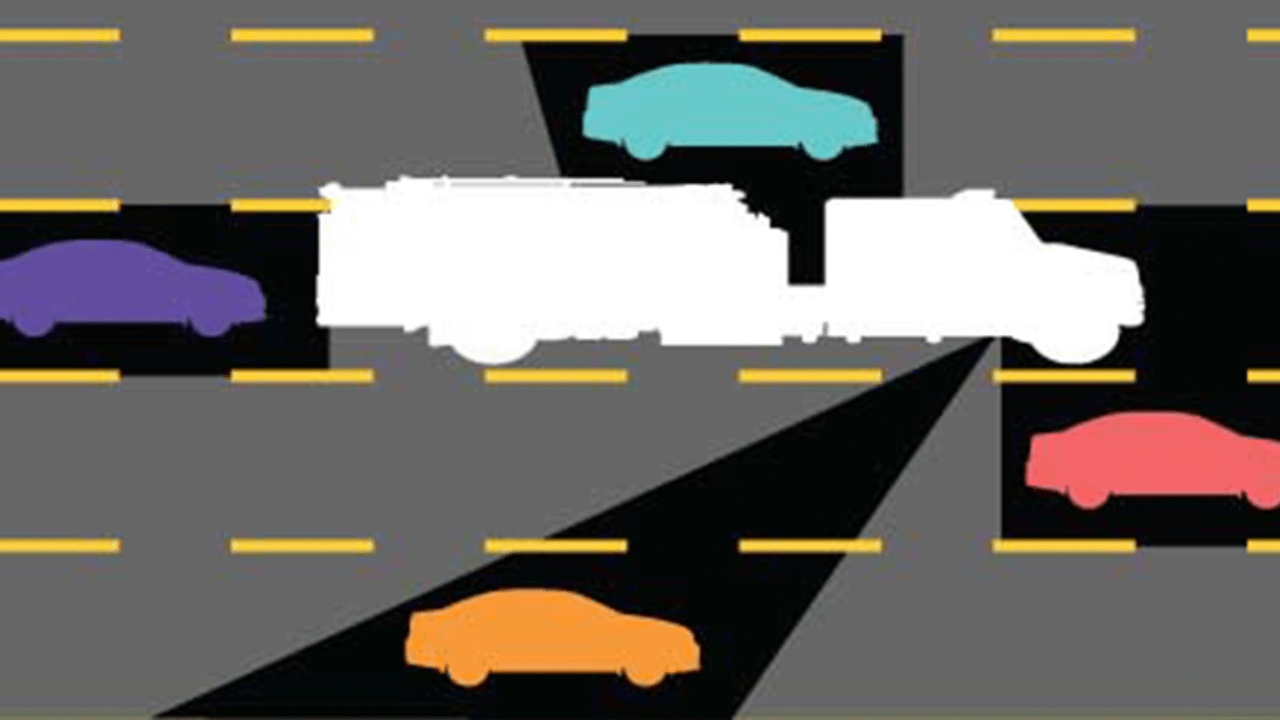
The sensor has a decent area coverage of 3m from the sides and up to 15m behind. It is enough to cover three major blind spots of your truck, including the passenger side’s deadliest no-zone.
This range can help you change lanes easily without colliding with oncoming vehicles. It also gives you enough time to figure out your next move before the distance gets critical with other vehicles.
2. Universal Truck Compatibility
Whether you drive a commercial or semi truck, you can use the sensor. It can easily be installed on all truck types, making it a cost-effective solution. So, you don’t have to worry about your vehicle’s model, brand, and year of release.
3. Lane Change Assistance
Remember that many road accidents occur during lane changes. That is where a large vehicle like a truck is most vulnerable. Now, you don’t have to install a separate lane change device, as this BSD sensor can solve this problem, too.
Not only does it monitor your blind spots, but it can also be used when changing lanes or turning. It can detect if a vehicle is in your proximity, which can be a liability during your move.
4. Multiple Alert Mechanisms
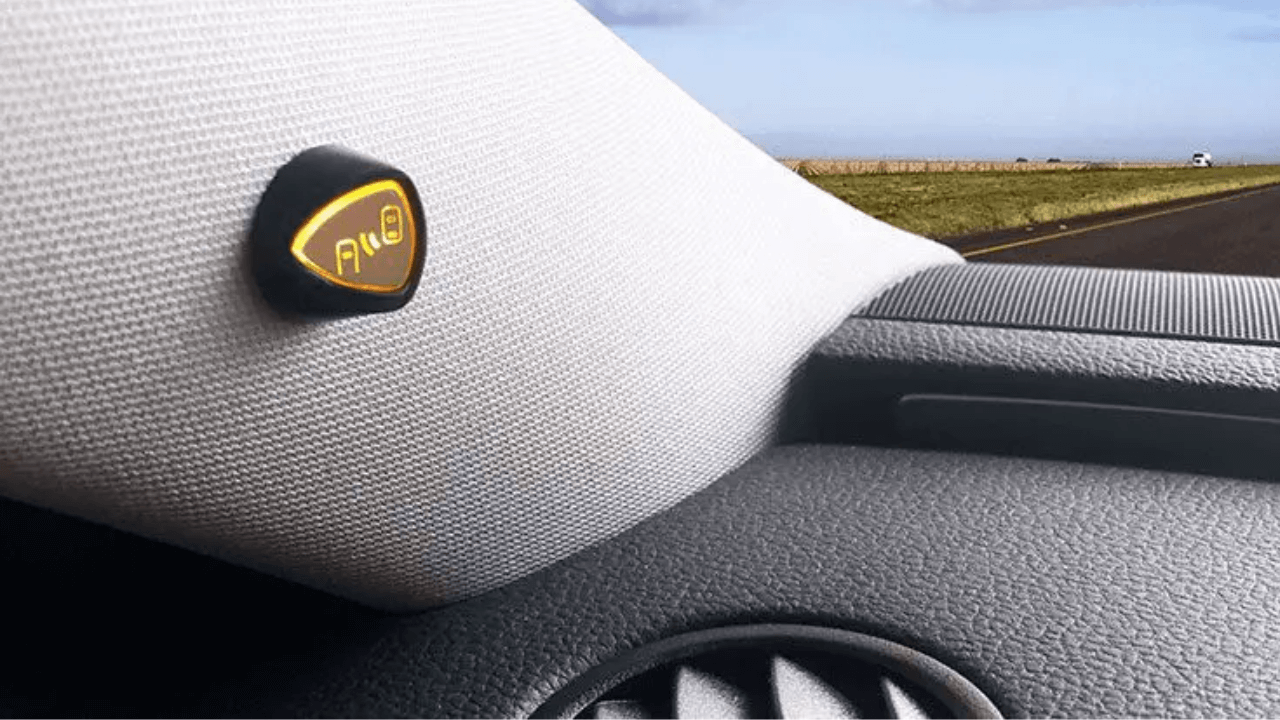
The alert mechanism is usually the driver’s choice, and the UNECD R151 sensor for truck is no exception. It allows you to choose a set of right and left LED lights for visual cues. Alternatively, you can set up a buzzer on your dashboard to get an audible alarm. Or, why not combine both to create a hybrid alert mechanism?
5. Waterproof & Weather-resistant
Do you frequently drive in rainy weather? Then, this sensor-based system is just for you. It has a waterproof rating of IP67-68. In simple words, it will work effectively in heavy rain and other extreme weather conditions. Outdoor elements like dirt and moisture will also be unable to affect the sensors’ accuracy.
6. Ease to Use, Install & Maintain
Having no technical experience with an advanced driving assistant system is not a problem. Even a beginner can use this sensor and get the hang of it in no time. Why is that? For starters, it doesn’t need frequent driver input since it has an automated framework.
Secondly, the installation isn’t a problem either. You can read the product manual, follow the steps, and set up the system without professional help. It doesn’t require frequent maintenance, inspections, or repairs, making it a user-friendly and cost-effective addition.
Installation & Maintenance Guide for UNECD R151 Sensor for Truck
Do you want to save costs on professional installation? You can do so with DIY installation of the UNECD R151 sensor for truck. While the specifications can vary, here’s the universal method to install this system:
Step 1: Mounting the Sensors
The mounting location can vary depending on your truck’s type. Follow these steps:
- Identify the mounting location using the product manual. Use a marker to mark that spot. Typically, mounting the sensors 1-1.5m above the ground is optimal.
- Clean the surface before mounting the sensors for secure attachment.
- Now, drill holes in the proposed spots (if required). Some models might use other adhesive methods to prevent drilling holes.
- Lastly, mount the sensors with their adapters. Ensure they are firmly attached to the sensor to prevent drops and damage.
Step 2: Setting Up the Alert Mechanism
Now, your sensors are in their designated spots. But the job is only half done. Let’s start setting up the alert mechanism. Here’s how:
- LED lights are mounted on the truck’s A-pillars. Check the R and L labels to mount the lights on their correct sides.
- The buzzer doesn’t require mounting. You can set it up on the truck’s dashboard without any attachment.
Step 3: Connecting the Components
Since most drivers don’t have technical experience, managing the cables can seem tricky. Here’s how to do it:
- The sensor cables are labelled for their respective (right and left) sides. So, connect the appropriate cables to the sensors.
- Similarly, plug in the buzzer with its designated cable. Flashing lights come pre-attached to their correct wires.
- Connect all these cables to the control box and set it up on your dashboard.
- Lastly, link the control box to your truck’s power box, and you are all set!
Step 4: Testing & Optimization
Now, all your components are ready and linked. It is better to test the system before heading to a highway. Here’s what to do:
- Start your truck and see if the system activates. If not, make sure the power cable is properly attached.
- When the system activates, make sure all the sensors are working properly. Test-drive the truck in your driveway to monitor the system’s functionality.
Everything’s working fine? Here are some tips to optimize your truck detection sensor installation:
- Hide the wires under the seat and below the truck’s door to keep the interior organized.
- Always keep the control box and buzzer at a suitable position on the dashboard. Otherwise, road bumps can change their position or affect the wiring, leading to failure.
- Read the product manual for specific instructions. Let’s say you have a customization or integration with the BSD sensor. Then, this installation process might not work.
Maintenance of the UNECD R151 Sensor for Truck
Sensors don’t require as frequent maintenance as camera-based systems. So, there’s no need to worry. However, some regular care can still help prolong the BSD sensor’s lifespan. Here’s everything to follow:
- Clean your cameras to avoid dirt/debris accumulation, leading to inaccurate monitoring and false alarms. Typically, cleaning after a few weeks is ideal.
- Inspect the wiring regularly to prevent short-circuits and other power issues. If there’s a faulty cable, replace it right away.
- Wipe the flashing lights clean so you can see the alerts clearly without obstruction.
Conclusion
A UNECD R151 sensor for truck can be a game changer in your driving career. It can significantly increase your core driving skills, like quick responses. The best part? It works effectively for both newbies and experienced drivers alike. Another reason is the system’s reasonable pricing. Considering its benefits, easy installation, and minimal installation, it is a win-win situation for your budget.
Still think the price is higher? Well, you can get the system at its factory price from OYI Electronic. Additional benefits include regular restocks, a supportive warranty, customizable packaging, an online installation guide, after-sales support, an excellent customer service team, and a 98% success rate on all sensor and camera-based systems. Ready to get your BSD sensor? Get in touch today and get a free price quote.
Related Products: