K5-100 Commercial Vehicle Forward Collision Warning list
K5 FCW MONITOR
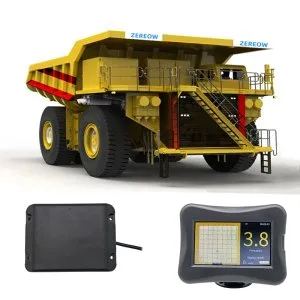
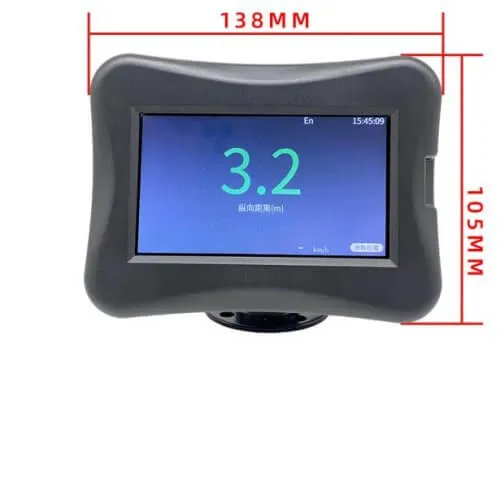
K5-100 FCW MONITOR
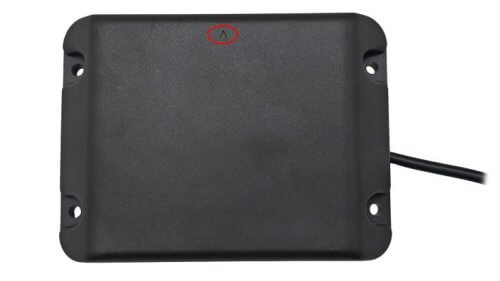
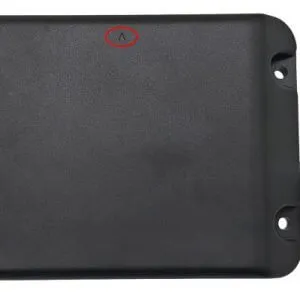
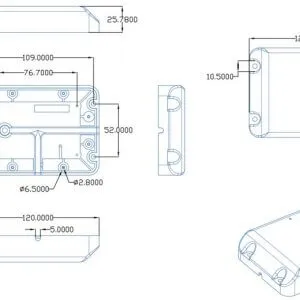
K5-100 FCW RADAR NOTE
K5-100 FCW RADAR
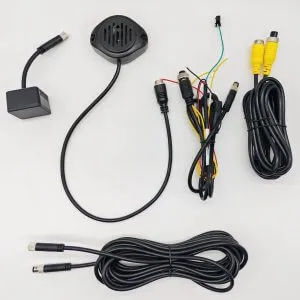
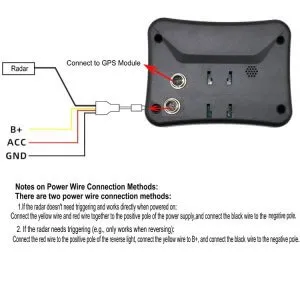
K5-100 FCW CONNECT CABLE
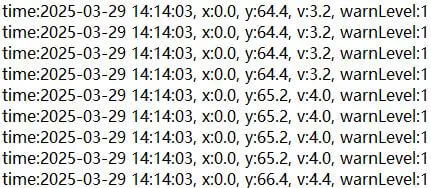
K5-100 FCW DATA LOG

K5-100 Commercial Vehicle Forward Collision Warning

Head-on collisions have become increasingly common, especially in large commercial vehicles. Why? Because these vehicles have four large blind spots, including the immediate front. The large height of the driver’s cabin can prevent trucks from viewing what’s immediately ahead. Even worse, smaller vehicles can become practically invisible in this area.

However, this problem can be solved with our K5-100 commercial vehicle forward collision warning (FCW). This advanced driving assistant system keeps drivers updated on what’s ahead of them with real-time alerts. So, drivers can avoid accidents that result in injuries and costly repairs.

Working of K5-100 Commercial Vehicle Forward Collision Warning

A study by the WHO (World Health Organization) found that 1.19 million people die annually from road crashes. The worst part? A huge chunk of these accidents involve large commercial vehicles like trucks. That is why our K5-100 eliminates the most significant problem in these vehicles—the blind spot.

It monitors the immediate front area of the commercial vehicle to detect objects and vehicles. This way, the driver doesn’t have to worry about the cabin height. Even smaller vehicles like bicycles can be detected by the K5-100 commercial vehicle forward collision warning.

How Can the K5-100 Commercial Vehicle Forward Collision Warning Help You?

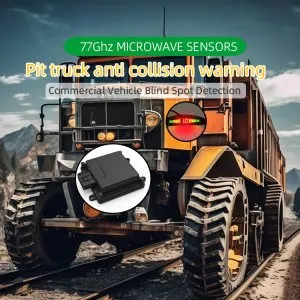
The K5-100 commercial FCW system eliminates the frontal blind spot in large vehicles like trucks, cranes, forklifts, engineering cars, etc. Here’s how it can help drivers:

Microwave Radar Monitoring

The K5-100 system uses a radar sensor. It emits microwaves to detect obstacles in front of the commercial vehicle. The waves emitted are bounced back as soon as they hit an object, like a moving vehicle. Then, it lets the system know of the object’s presence in the front blind spot. So, the FCW can trigger alerts and notify the driver.

Detection Accuracy

The K5-100 FCW system uses a 77GHz sensor, which is highly accurate. It has a refresh rate of 33 times per second. This ensures that the alerts are quickly sent to the driver. Moreover, the higher accuracy prevents false alarms, which overwhelm drivers and lead to ill-informed decisions.

Decent Detection Distance

Besides the accuracy, the detection is also another important factor. Our 77GHz sensors are tested with a maximum detection distance of 100 meters. The best part? This distance is not limited to stationary objects. It can also detect moving vehicles, ranging from bicycles and cars to trucks and buses.

Simple Installation

Our K5-100 FCW system has a straightforward installation process. It has only two main components, a sensor and a touch screen host. So, all drivers, regardless of their technical experience, can easily install this in their commercial vehicles. It also avoids extra installation charges that come with hiring a professional.

In fact, we empower our customers to go for DIY installation. That is why all our products come with a detailed, step-by-step product manual that covers the entire process, so you don’t have to look elsewhere.

Multi-level Warnings

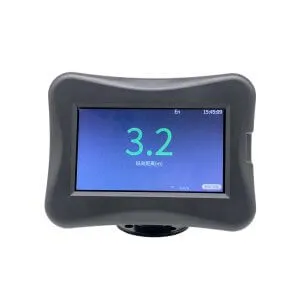
The touch screen host provides a real-time display of warnings. It has a built-in buzzer to offer both audible and visual alerts. At the first level, the display turns yellow and the buzzer slowly starts its audio warnings.

Once the distance gets critical, the screen instantly turns red and the buzzer sounds more quickly with fewer intervals. The screen also shows the vehicle’s speed, so the driver can make well-versed decisions right after looking at the display.

Do you want to know the exact specifications of our K5-100 forward collision warning sensor? The following table has got you covered. We will also tell you all the accessories that come with our product, which include all the essential equipment. Let’s take a look:
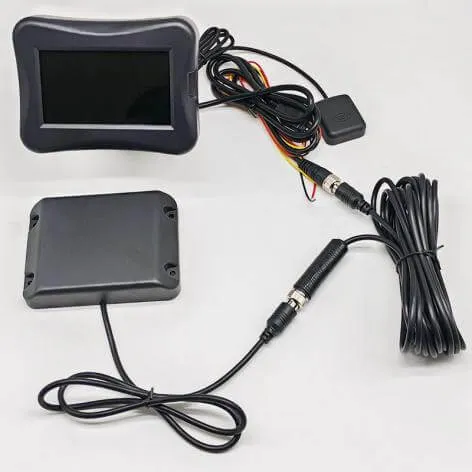
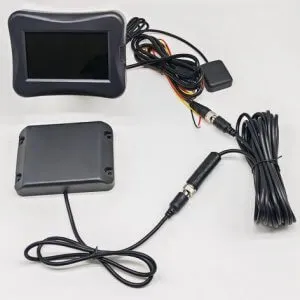
K5-100 Commercial Vehicle Forward Collision Warning list
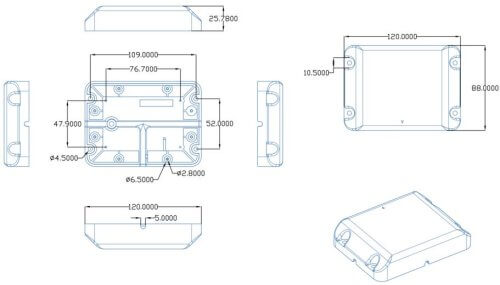
Technical Specifications of K5-100 Commercial Vehicle Forward Collision Warning
K5-100 FCW RADAR

Here are the technical specifications of the K5-100 system:

K5-100 Commercial Vehicle FCW Specifications
Radar sensor operating frequency band 77 – 78GHz
Refresh rate 33Hz
Number of transmit and receive channels 2TX – 4RX
Horizontal beam width (6dB) -60°~60°
Elevation beam width (6dB) -5°~5°
Distance resolution 0.2M
Detection distance 100m (maximum)
Radar waterproof rating IP67
Speed range ±120km/h
Speed resolution 1.9km/h
Power consumption 3W
Full load power consumption 6W
Operating temperature -40° C ~+85° C
Operating voltage 14-32V

Accessories Included with K5-100 Commercial Vehicle Forward Collision Warning

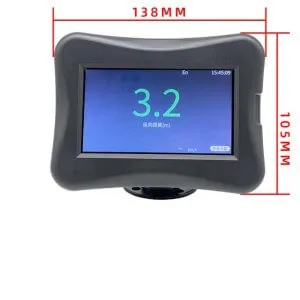
K5-100 FCW MONITOR

The following are the accessories included with our K5-100 FCW system:

K5-100 Commercial Vehicle FCW Quantity
77GHz radar sensor 1
Touch screen host 1
GPS module 1
Radar mounting bracket 1
Power cord 1
Radar extension cable 1 (5m)
Accessory bag 1
Product manual 1

All commercial vehicles have a frontal blind spot. However, you don’t have to worry about that anymore with our K5-100 commercial vehicle forward collision warning system. Let’s discuss its functions in detail:

1. Touch Screen Operations

The touch-screen host allows you to quickly and easily change system settings. You can set the warning speed range, distance, and other important options. The touch-screen host is accessible to reach, making it convenient for drivers to change settings mid-drive.

Moreover, this ability to customize personalizes the experience of using the K5-100 FCW system.

2. GPS Module Integration

Our K5-100 comes with a GPS module that you can add or remove from the system depending on your choice. It adds another layer of functionality to the system—allowing a supervisor to track the commercial vehicle in real time.

This added functionality is highly beneficial for fleet managers. It allows them to monitor each vehicle and use the GPS data to find optimal routes.

3. Water-proof Body

Our 77GHz sensor is highly resistant to water. So, if you live in a region where it frequently rains, this system is for you. It works effectively through rain, snow, windstorms, and other extreme weather conditions.

Why Choose Our K5-100 Commercial Vehicle Forward Collision Warning?

You can find many companies to buy K5-100 commercial vehicle FCW systems both locally and online. However, the following are some factors that set us apart from others:

  • Our customer support team is always available to consult people and answer their queries.
  • Do you want to buy the K5-100 system for your business? We can customize it for you and provide personalized packaging to align with your business identity and goals.
  • You will never face the “out of stock” issue with us. That’s because we regularly restock our K5-100 FCW and other systems for timely delivery.
  • We empower our customers to opt for DIY installation. For that, we offer online support and guidance to help with setup and maintenance.
  • All of our systems, especially the sensors, are tested to ensure that they don’t produce false alarms or skip detections, which is why we have a 98% success rate.

Now, let’s start the installation process for the K5-100 forward collision-avoidance assist. Follow the steps for an error-free installation:
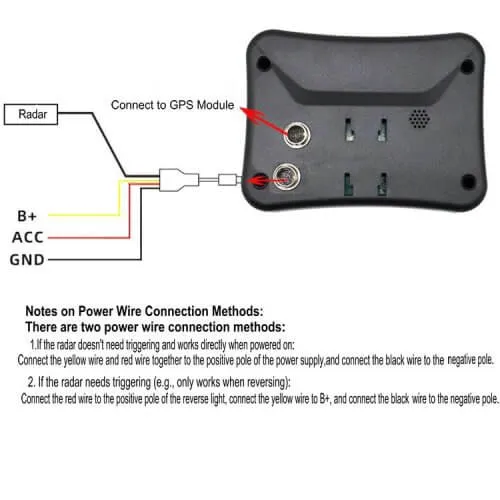
K5-100 FCW CONNECT CABLE

Mounting the Sensor

K5-100 FCW RADAR REMARKS

First, let’s start with the sensor. Here’s what to do:

  • Choose the mounting location for your commercial vehicle. For most trucks, the exact location is somewhere around the rear bumper.
    Refer to the product manual for the exact mounting spot.
  • Use a drill to make holes in the selected spot. Then, mount the radar bracket there.
  • Lastly, set the sensor on the bracket and make sure it’s firm.

Setting Up the Host

The touch-screen host is also the control box of the system. Here’s how to set it up:

  • Place the touch-screen host on the commercial vehicle’s dashboard.
  • Next, connect its cable to the sensor using the extension cord.

Connecting the Cables

The cables can seem overwhelming at first. However, there’s no need to panic. Follow these simple steps:

  • Connect the GPS module and sensor cord.
  • Now, link the main cord to your commercial vehicle’s primary power source.
  • Start the vehicle and see if the K5-100 FCW system works.

Finalizing & Testing

Once everything is set up, let’s test the system. Here’s what to do next:

  • Test the system in your driveway or in another safe zone to ensure it is detecting objects properly.
  • Use the touch-screen host to see and change all the settings according to your preferences.
  • Inspect the cables are fine and use the vehicle’s interior elements to hide these wires and keep the place organized.

It is completely understandable why head-on collisions occur. A smaller vehicle can become invisible to a large commercial vehicle. Hence, the driver is prone to making wrong decisions as they don’t have a clear vision. However, you don’t have to face this problem anymore. Use our K5-100 commercial vehicle forward collision warning to eliminate your front blind spot once and for all.

Additionally, you can use the GPS module to increase your operational efficiency. Whether you use the K5-100 system on the road or in a work zone, it can provide several benefits. It keeps you and others around you safe—promoting a safer driving and working environment.

So, are you ready to buy our K5-100 forward collision-avoidance assist system? Message us today and get a free price quote!
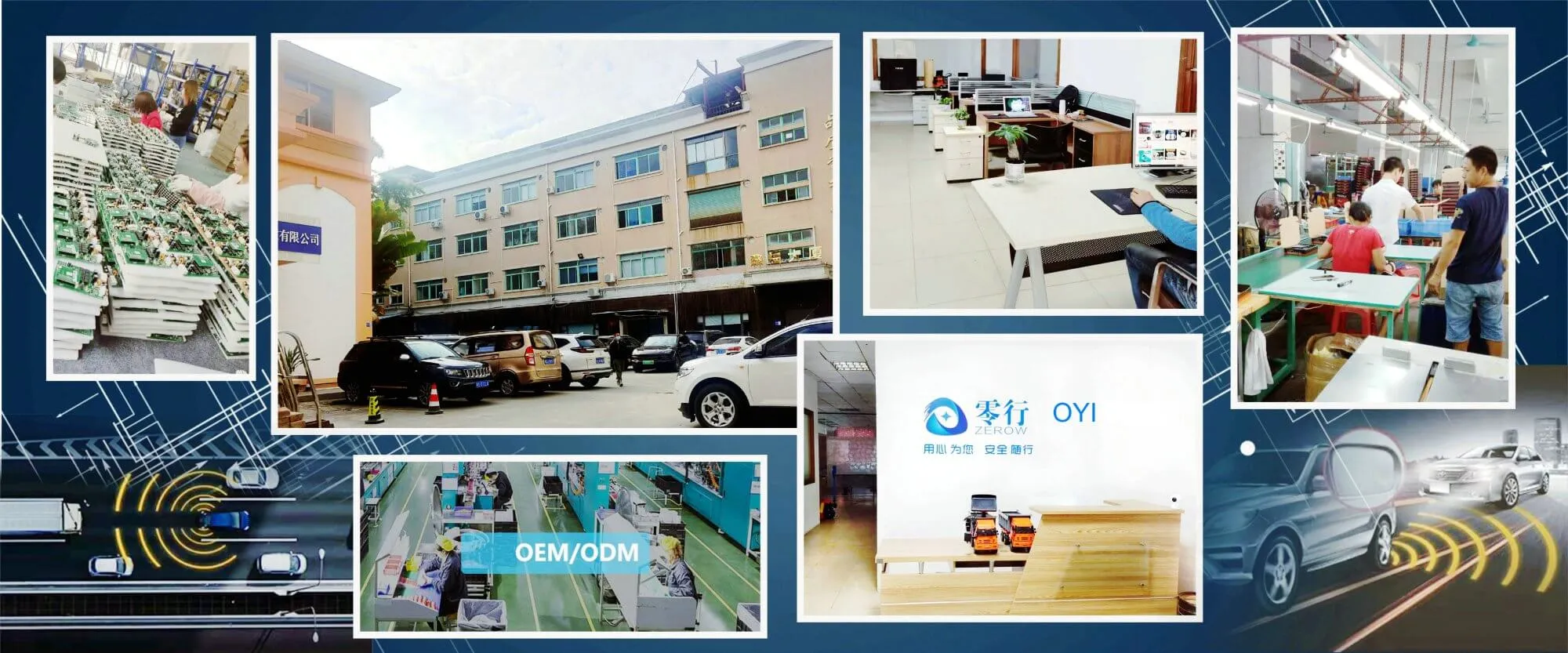

OYI ELECTRONIC company's factory area

Scroll to Top