
Did you know workplace fatalities due to driving accidents increased by 61% between 2013 and 2021? These devastating crashes often occur with massive engineering vehicles operating in mining sites, construction areas, and agricultural lands. Why? The primary reason is the operational difficulty of an engineer car. The large blind spots, lack of situational awareness, and environmental factors are the leading causes of these accidents.
However, you can build a custom solution for engineer car to solve these problems. The market today makes it more accessible than ever. But, how does it work? No need to worry. I will tell you the complete step-by-step process in this detailed guide along with some suggestions. So, let’s dig in!
4 Steps to Build Your Custom Solution for Engineer Car

Without further ado, let’s look at the 4 steps to build the best custom solution for engineer car that perfectly fits your needs:
Step 1: Review Your Requirements
First, let’s start with identifying your needs by evaluating your driving habits and working environment. Remember that solutions may differ drastically for different operations. For example, a camera-based device in a dirty and rough mining site would be a bad idea.
Another good approach is to identify your problem area. For example, some people might find blind spots extremely challenging, while others have issues navigating tighter environments. Both of these factors can help you shortlist the options from an otherwise snowballed market.
Step 2: Choose the Right Manufacturer
Note that not every manufacturer might offer customized solutions. However, you can still find some great options, like OYI Electronic, online and locally. Alternatively, you can opt for a DIY approach with 3D car design software.
So, what should you look for in a manufacturer? Here are some key factors:
- Track Record: Always prioritize companies with a successful record with customers. You can do so by visiting their websites to read testimonials, reviews, etc. These manufacturers are more likely to be reliable than lesser-known companies.
- Customer Service: Reliable manufacturers will offer excellent customer service via different channels for increased accessibility. For example, OYI Electronics has a support team available via phone, email, and website live chat. Additionally, you can visit their office if you are in the area.
- Inventory & Benefits: Look for manufacturers who offer a wide variety of devices so you can find more personalized solutions. Also, consider additional perks you get with the products. That may include after-sales support, a supportive warranty, installation service or guidance, restock frequency, etc.
Step 3: Pick Your Primary Components
Now, it comes down to your choice and the problem area you have identified. Every device offers unique benefits, like vision, real-time alerts, etc. Here are the most popular choices available in the market:
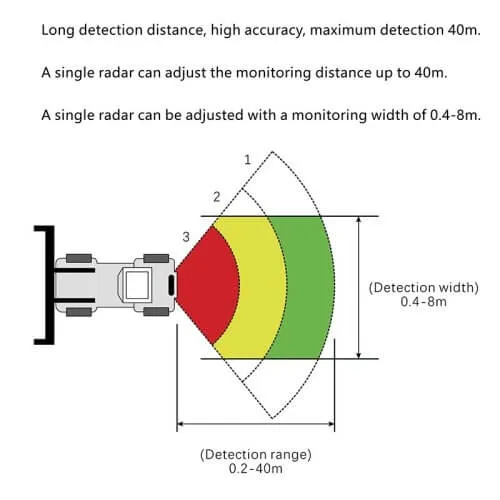
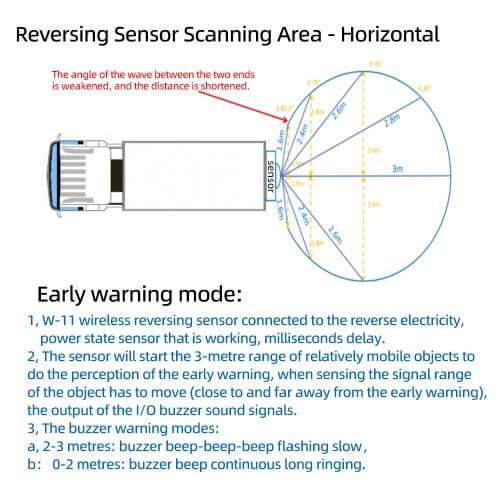
- Sensors: These are the most popular building blocks of some effective driving assistant systems, including blind-spot monitors, forward collision warning, parking assistance, and proximity detectors. You can use radar or ultrasonic sensors to create detection-based solutions. Multiple sensors are often more efficient and pair well with large vehicles like an engineer car.
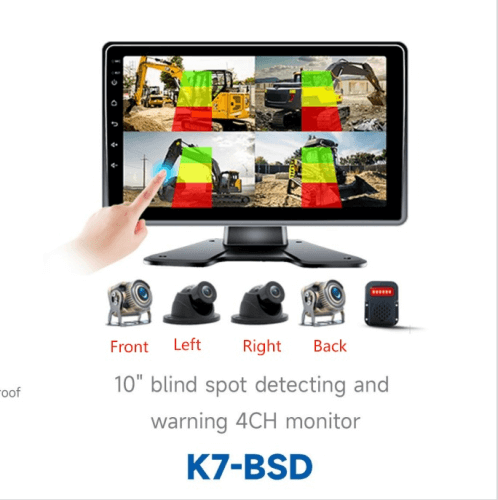
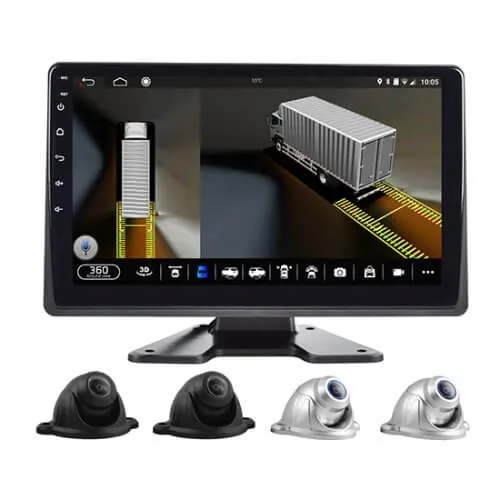
- Cameras: Many people prefer vision-based systems that can be built with cameras. You can link multiple lenses together and place them strategically around the engineer car. Camera-based custom solutions include dash cams, 4-channel systems, 360-degree cameras, and digital rear-view mirrors.
- Output Channels: Whether you use a sensor or camera, you would need an appropriate output device. For sensors, the best options are LED lights, buzzers, or vibrational alerts placed under the seats. Camera-based solutions work well with a display unit, like a monitor.
- Cables: You can go for a wireless custom solution, but it can be comparatively more expensive. Wired systems are still standard with most manufacturers and affordable, too. You should choose cables according to your primary components. For instance, camera-based systems will use video cables. Another thing to consider is your vehicle size. Larger vehicles will need longer vehicles, especially if you link multiple components.
- Mounting Brackets: Mounting brackets are highly essential, yet mostly overlooked. A weak bracket can easily be damaged, also affecting the camera or sensor. So, consider choosing durable brackets to keep your components steady and undamaged.
Step 4: Select an Add-On
Choosing an add-on to your custom solution for engineer vehicle isn’t mandatory, but it can be helpful. These add-ons can significantly enhance your system’s functionality. Most modern driving assistant systems are open to integration. So, custom solutions can also have add-ons.
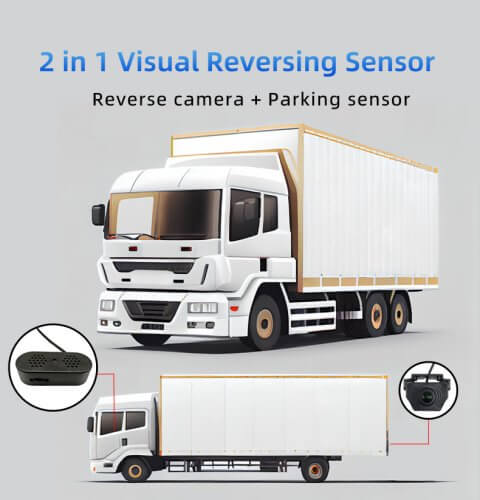
For example, you can add sensors to your camera-based system. It can provide real-time alerts with vision, offering maximum safety. Similarly, you can use a camera with a parking sensor to understand the environment better.
Another option is to buy readymade systems to integrate with your custom solutions. Let’s say you have built a personalized blind spot monitoring system. You can add parking assistance, lane-keeping assistance, or automated braking to it. Consider the add-on as a secondary solution that complements your primary system.
Alternatives to Building a Custom Solution for Engineer Car

Having a custom solution for engineer car is an excellent idea. However, not everyone is experienced enough to choose the right system. Hence, you can opt for alternatives. These are driving assistant systems readily available in the market.
So, which alternatives are the best? Let’s break them down into two main categories:
1. Sensor-based Systems
First, let’s explore the systems that rely primarily on sensors. Here are some examples:
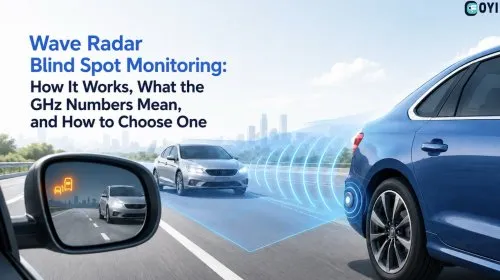
- Blind Spot Detection Systems: BDS systems use radar or ultrasonic sensors to detect oncoming vehicles in blind spots. They use advanced algorithms to calculate the speed and distance of these vehicles to trigger an alert if necessary.
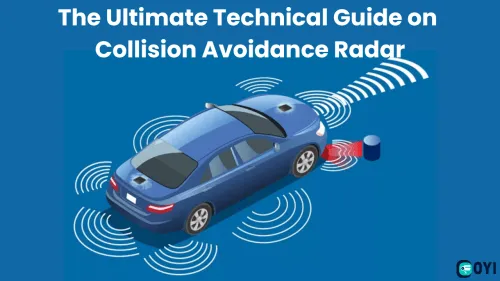
- Forward Collision Warning: Engineer cars are usually large, making them vulnerable to head-on collisions. Forward collision warning uses sensors to calculate the distance between the engineer car’s front area and other vehicles. If a threat exists, it notifies the driver via alerts.
- Proximity Detection: Most engineer cars have a restricted driver’s vision due to their large size. The side-view mirrors can be helpful, but only to some extent. Proximity sensors use algorithms to monitor the distance between the engineer car and other vehicles from all blind spots. It sends alerts to the driver if the distance gets critical.
2. Camera-based Systems
- Dash Camera: A dash camera is mandatory in many workplaces. It records your driving from start to finish and saves the footage. Many supervisors use dash cams to track an engineer vehicle driver’s performance. Modern dash cameras also have advanced features like GPS tracking, cloud storage, etc.
- 360° Camera System: A 360° camera system uses up to four cameras to provide a bird’s eye view of the engineer vehicle’s blind spots. This car solution provides 4 video streams simultaneously in a split-screen mode you can view on the screen.
- Digital Rear View Mirror: While the rear-view mirror is helpful, it offers an obstructed vision in an engineering car. This system replaces the traditional rear view mirror with a screen. The screen provides real-time vision captured by a camera installed behind the vehicle.
When Should You Choose a Custom Solution for Engineer Car?

Generally, a readily available aftermarket system can do the trick. However, some situations demand customization. Here are some scenarios when you should prefer a custom solution for engineer car:
Company’s Regulations
Many companies prioritize customized solutions over pre-made ones. It distinguishes their business from others. Additionally, custom devices suit their specifications and requirements better than readymade ones. These personalized solutions often become a company’s signature.
Specific Requirements
Not every workplace has the same requirements. For instance, you may find suggestions like using a camera for indoor work environments. Similarly, some suggest using sensors in an outdoor environment. But what if your work demands navigating in both indoor and outdoor areas? In such situations, you will need a customized solution like a hybrid of cameras and sensors.
Increased Functionality
Let’s say you already have an advanced driving assistant system installed in your engineer car. But what if it is insufficient? The best option would be custom solution engineering that pairs well with the existing system. This way, you can save the costs of installing a new, pre-made device and enhance your vehicle’s functionality simultaneously.
Conclusion
Choosing a custom solution for engineer car can solve most, if not all, workplace problems. Overall, it promotes a safer working environment, which is much-needed amidst the shocking recent statistics about workplace accidents. However, building the right custom solution is as important as using it. If you are unsure, consider going for a readily available aftermarket system.
Looking for a reliable manufacturer to build your custom engineering vehicle solution? OYI Electronic has got you covered. Affordable factory prices, regular restocks, 98% success rate, after-sales support, excellent customer service team, and customized packaging are some factors that set us apart in the automotive industry. For any queries or customizations, feel free to contact us!
Related Products: